Record your WING.
Get named tracks. Done.
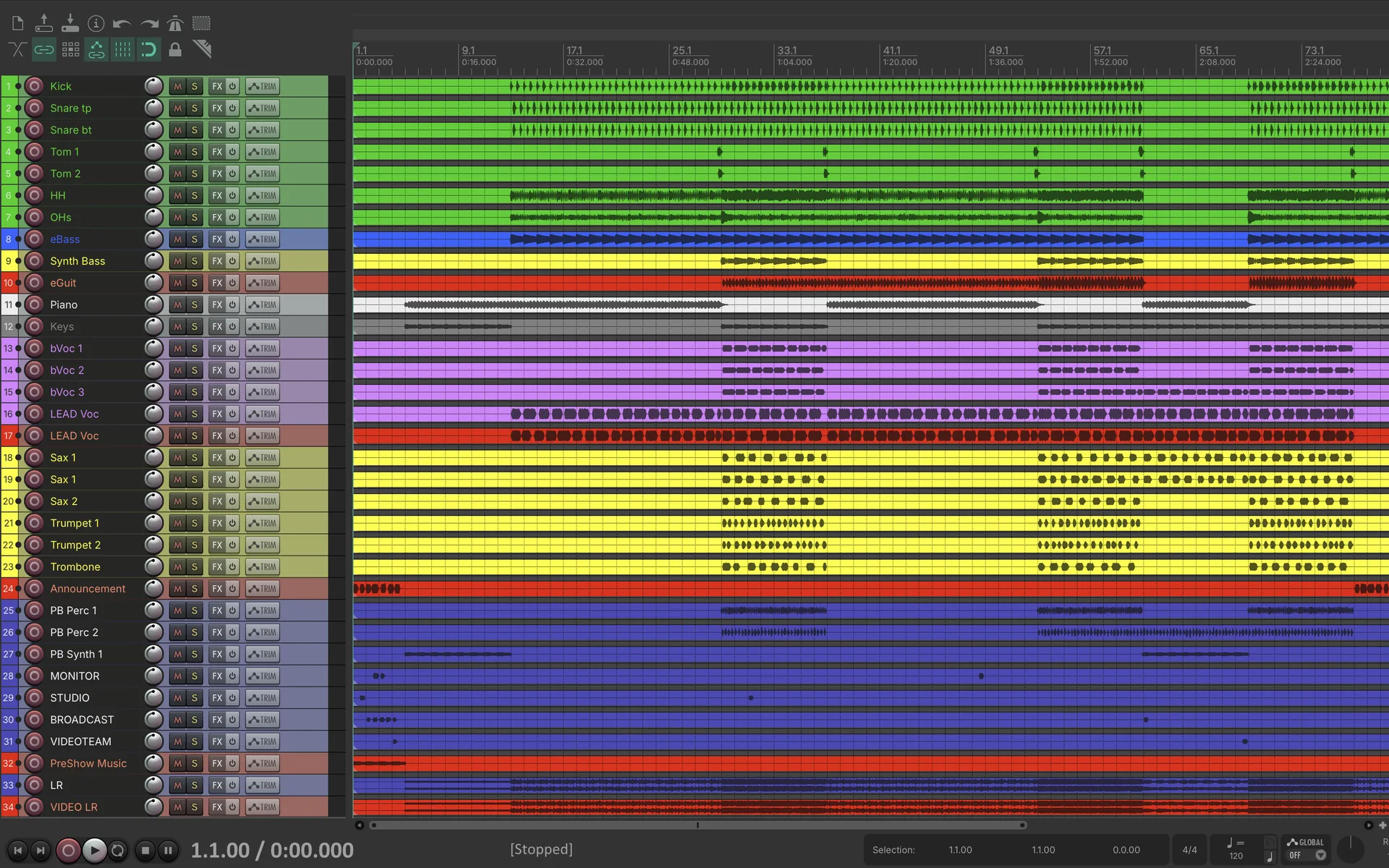
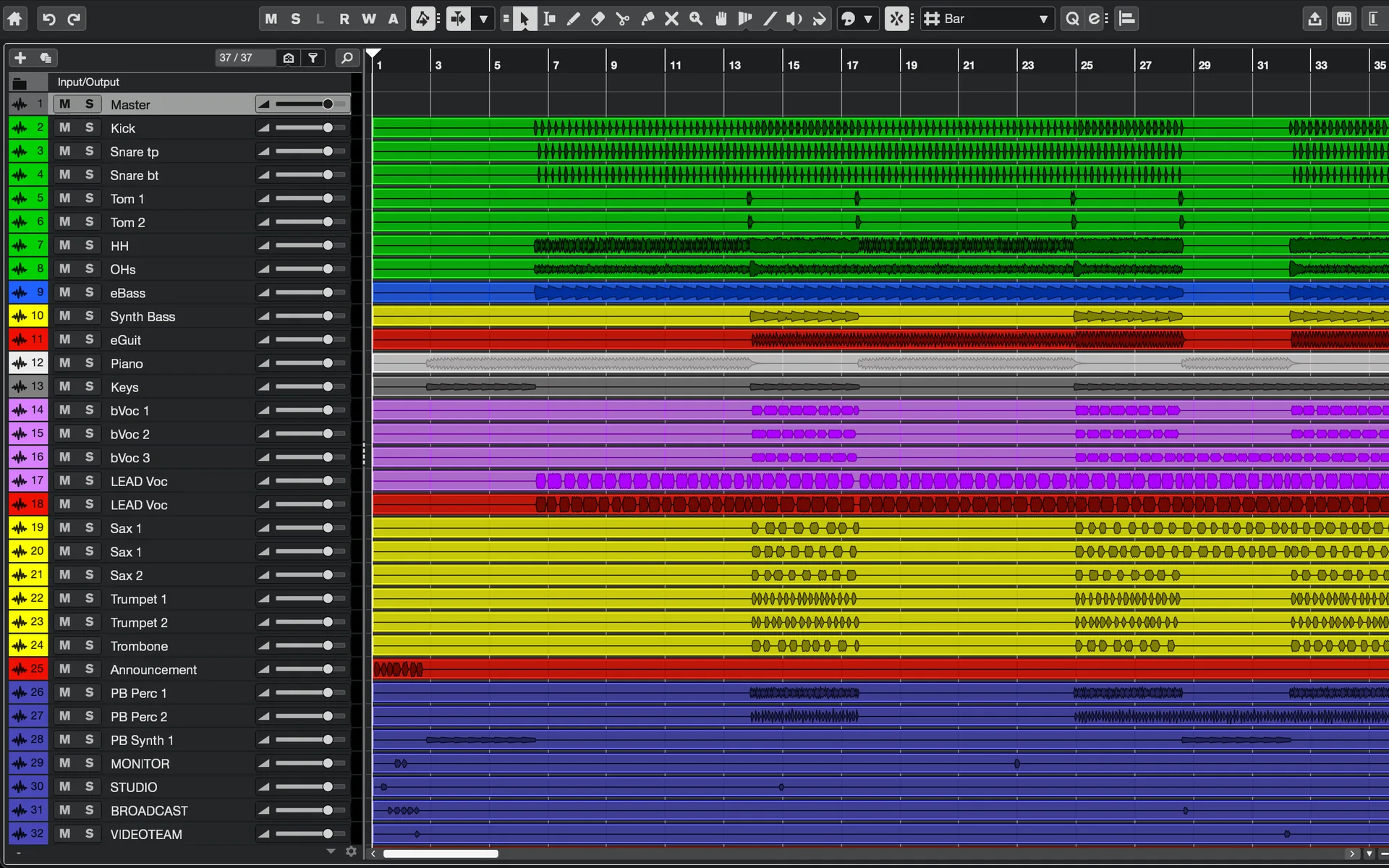
No more renaming dozens of WAV files after the show. Every track is named and colored like your console, and your DAW session is ready when you hit stop.
Stop setting up your show twice
Your channels are already named and colored on the WING. Your recording should be too.
- Copy both SD cards
- Stitch the 4 GB chunks back together
- Split them into mono tracks
- Rename and color every track
- Rebuild the session in your DAW
- Tracks named and colored like your WING
- Mono and stereo tracks, ready to mix
- Sessions for Pro Tools, REAPER and DAWproject
Never miss the start again
The band kicks in while you're still at the stage box. Companion already has the first notes, or started on its own at the time you set.
Up to 5 Minutes of Pre-roll
Companion keeps the last seconds in memory, so a recording starts before you press REC. Also when it's started on the WING or on schedule.
Recording at a Set Time
Set a start time and the recording starts on its own, right on time. Until then the REC button counts down, so you can see at a glance that it's armed.
Use both: armed for 20:00 with 10 seconds of pre-roll, the recording begins at 19:59:50.
Everything you need for a
faster gig
Purpose-built for the Behringer WING. Name and color everything you record, on your WING and in your session. Get mix-ready sessions. No hassle.
Recording Channel Setup
Name and color everything you record, on your WING and in your session.
Up to 64 Tracks
Record every input via USB, Dante, MADI, or Waves SoundGrid. Mono and true stereo tracks, no workarounds needed.
Automatic Recording Sync
Sync with the WING's internal SD card recording. Start one, both roll. Stop one, both stop.
Instant DAW Sessions
Auto-generates Pro Tools (.ptx), REAPER (.rpp) and DAWproject sessions with all track names, colors, and stereo pairs. Ready to open and mix.
PDF Input Sheet
Export a formatted PDF of your complete channel routing: inputs, names, colors. Perfect for the stage box or your archives.
Mirror Destination
Write recordings to a second drive in real-time. No post-show file copying, no single point of failure.
From live recording to mix-ready session
Connect, record, mix. Your recording workflow in three steps.
Connect Your WING
Connect via Ethernet or Wi-Fi to sync channel names and colors. For recording, also connect your audio via USB, Dante, MADI, or Waves SoundGrid.
Name and Record
Name and color your recording channels, on the WING or in Companion. Press REC to capture up to 64 tracks, in sync with the WING's SD recording or on its own.
Open and Mix
Recording stops, DAW project files appear. Open in Pro Tools, REAPER, or any DAWproject-compatible DAW. Tracks named, colored, ready.
Works with your setup
- WING, WING Compact and WING Rack
- USB with up to 48 tracks
- Dante, MADI and Waves SoundGrid with up to 64 tracks
- WAV, 16 or 24 bit, 44.1 or 48 kHz
- Mono and true stereo tracks
- Works with your existing WING routing
- Recordings stay on your drives, nothing is uploaded
- macOS on Apple Silicon and Intel
- Windows 10 and 11, 64-bit
- Core Audio on macOS, ASIO® on Windows
 ASIO is a trademark of Steinberg Media Technologies GmbH, registered in Europe and other countries.
WING Companion is
cheaper than your time
Try WING Companion free for 7 days, every feature included. Upgrade when you're ready.
Trial License
7 days to test with your full setup. No feature limits.
- Recording channel names & colors synced with WING
- Up to 64 tracks (USB, Dante, MADI, WSG)
- Real-time level metering for every channel
- DAW project export (Pro Tools, REAPER, DAWproject)
- Mirror destination & PDF input sheets
incl. VAT
Perpetual License
First 250 licenses at a special price.
- Everything in the free trial
- Keep using it after the 7-day trial
- Activate on up to 3 computers
- Access to the support community
- All future v1.x updates included
By purchasing, you agree that delivery of the digital content begins immediately and acknowledge that you lose your right of withdrawal once the license key has been provided.
Got questions?
Everything you need to know about WING Companion. Can't find an answer? Get in touch.